
Professional tax invoices
Auto-numbered PDF invoices with VAT, discounts, QR code, and payment statuses — ready to send on issue.
Meets ZATCA requirements Phase 1 & 2
From your first tax invoice to the Phase 2 link — this is what you will find inside.
14 days free · No credit card · Cancel anytime



Why WonderFatoora?
If your invoices live in Word, Excel, and WhatsApp groups today, this is the difference you'll feel in week one.
Manual Word/Excel invoices eat your time.
A numbered tax invoice with QR code in minutes.
Chasing customers and overdue invoices is exhausting.
Every invoice status and payment, live in one view.
Compiling VAT numbers each quarter is painful.
A period-ready VAT report in one click.
Product tour
Real screens from WonderFatoora — with a demo company's data.
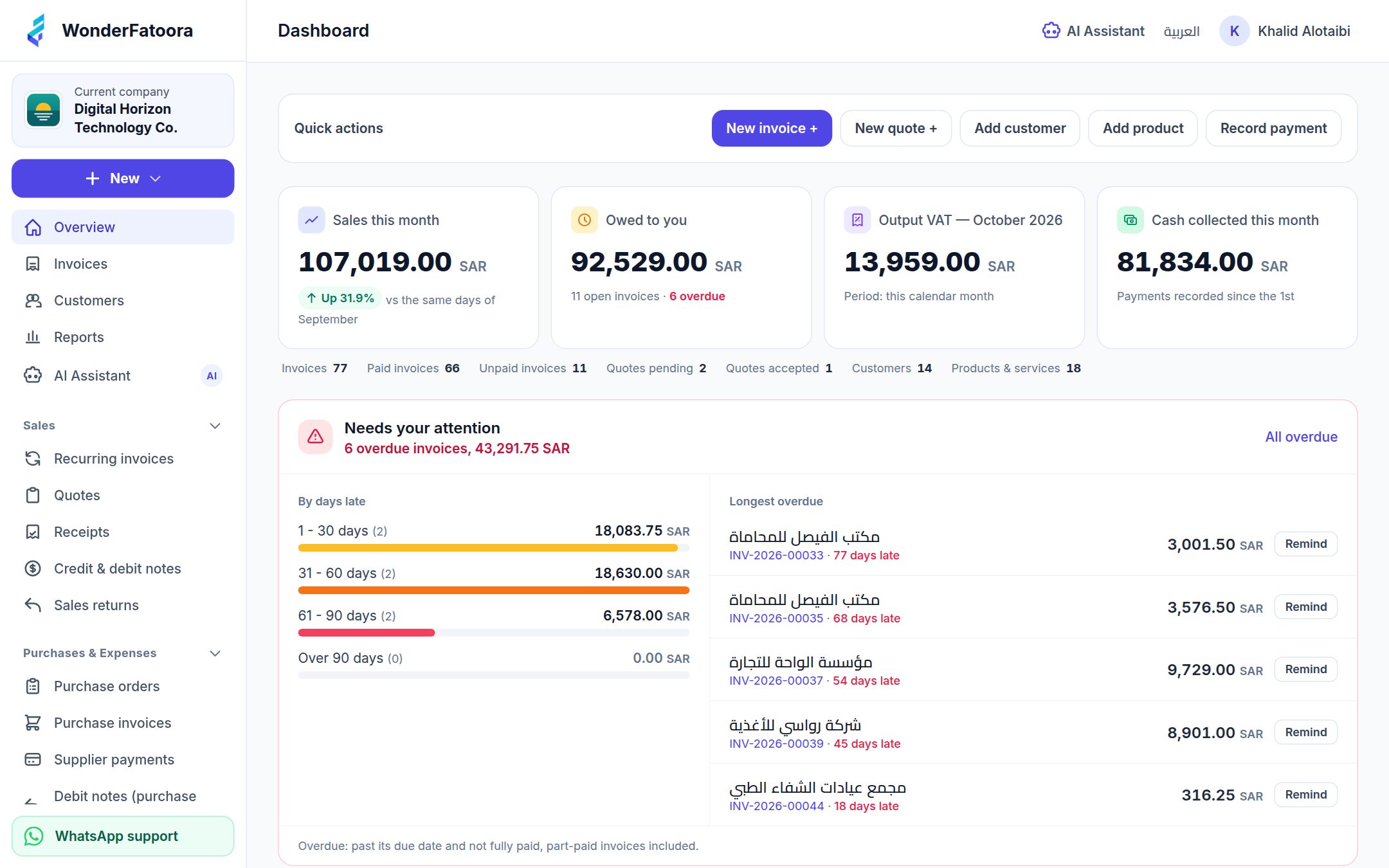
Sales, payments, this month's VAT and overdues — on one screen.
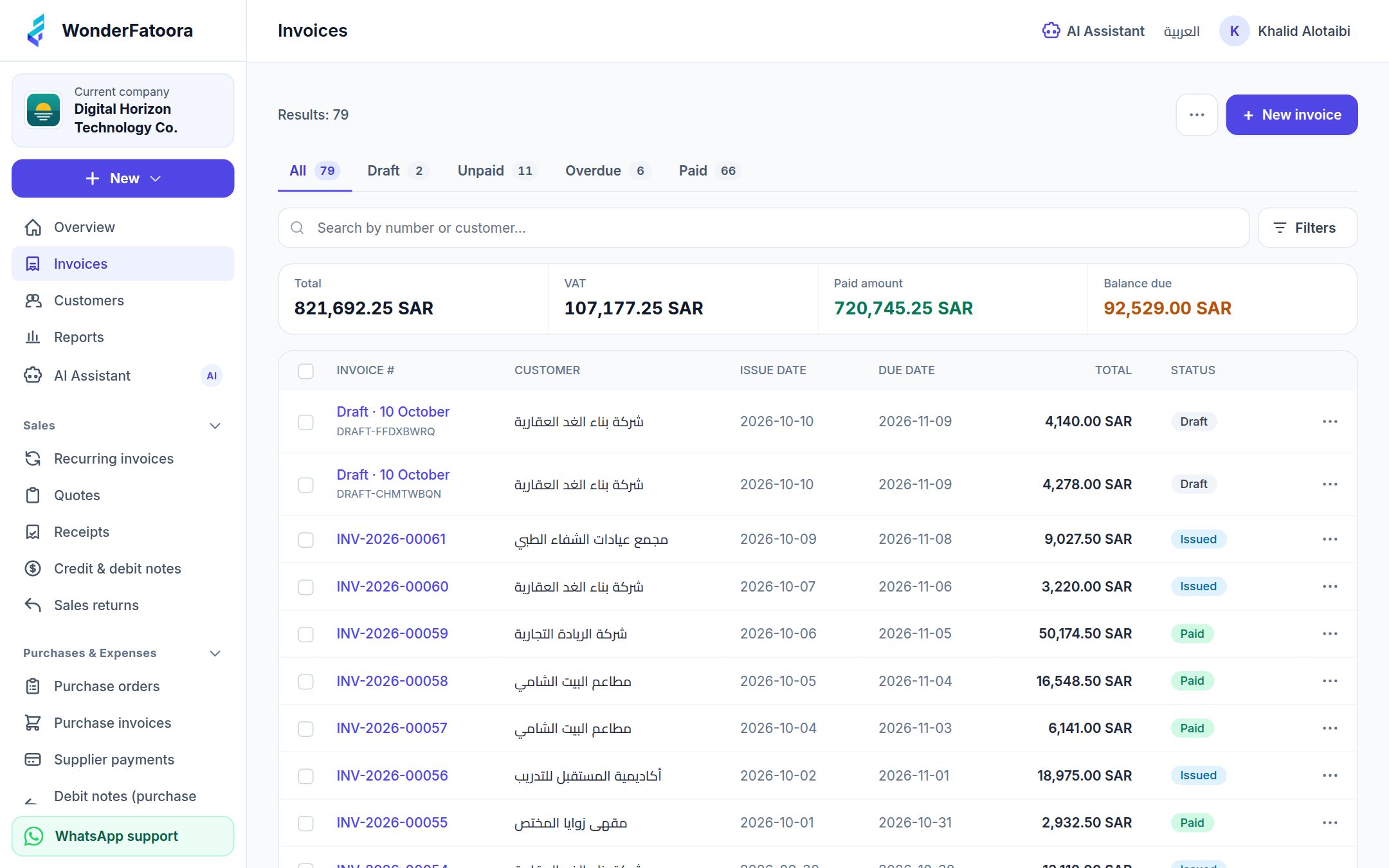
Every invoice with its status — paid, part-paid, overdue — with search and filters.
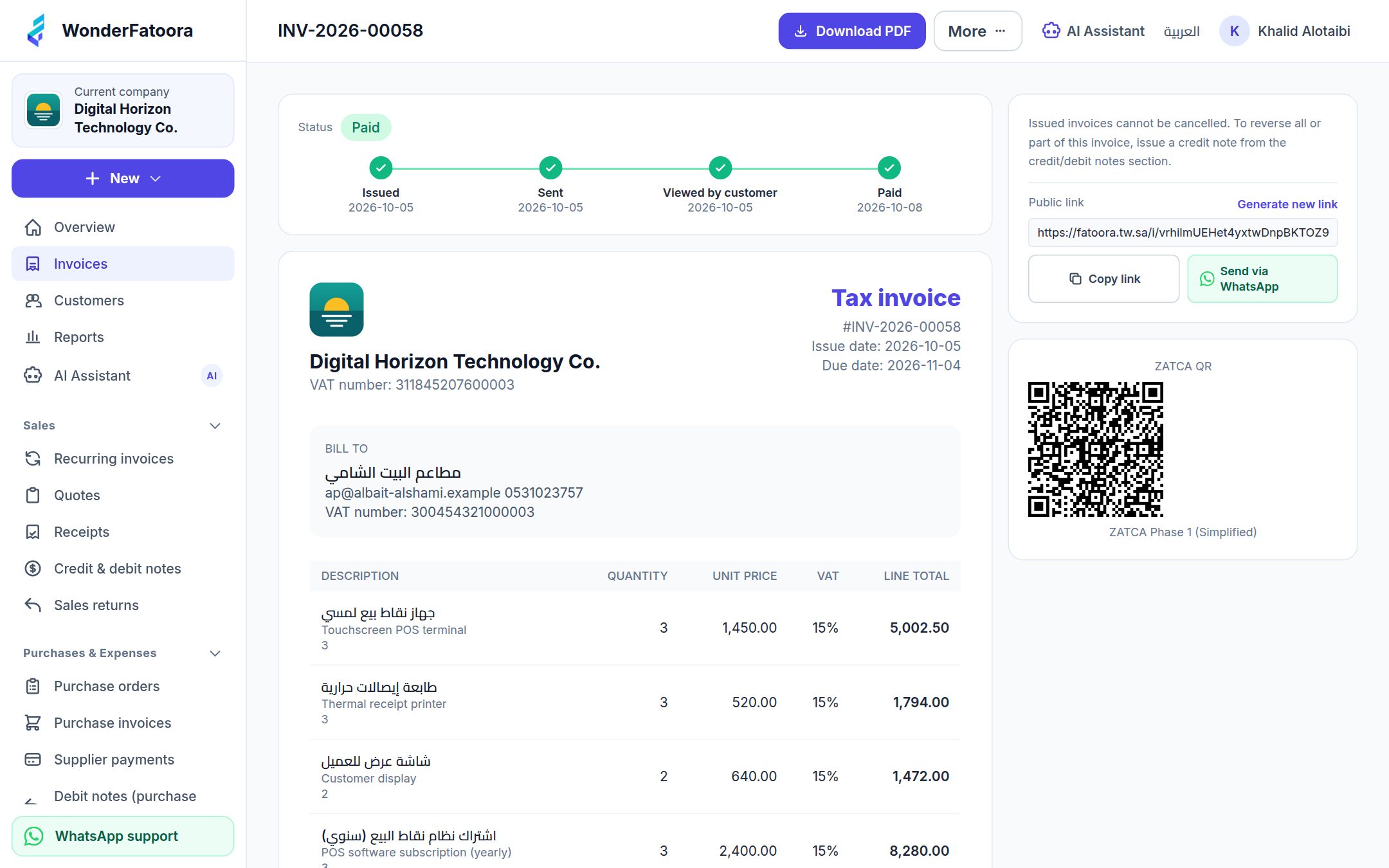
A ready tax invoice, payment recording, sending, and a public link for your customer.
Features
Auto-numbered PDF invoices with VAT, discounts, QR code, and payment statuses — ready to send on issue.
Send a quotation, and once approved convert it to an invoice in one click — no re-entry.
Your invoice reaches the customer as a secure link or PDF on WhatsApp, with delivery tracking.
Record partial and full payments, see each customer's balance, and catch overdues early.
Sales, payments, overdues, and VAT reports — for any period you choose.
Message it on WhatsApp or in the app — "create an invoice for Gulf Co.", "what is in the bank?", or a photo of a supplier bill — and approve the draft it prepares. Each team member uses their own number.
For subscriptions and monthly contracts: schedule once, and each invoice is created on time, with a notice before it goes out.
Supplier bills and expenses in one place, for the full picture of your profit and input VAT.
Snap it or upload a PDF; the assistant extracts the details for you to review and save.
Stock levels follow every sales and purchase invoice, with a clear movement history.
Correct an issued invoice or return part of it with a proper document instead of editing it.
Invoice in USD or AED, with the VAT shown in SAR as ZATCA requires.
Tag invoices and expenses to a project and see what each one earns.
Issue invoices from your own system through a secure API with scoped keys.
Some features depend on the plan — see the pricing table.
WhatsApp delivery
Instead of an unopened email, send the invoice as a secure link or PDF on WhatsApp in one click — and track delivery and payment from the system.
Issue the invoice
Choose "Send via WhatsApp"
Customer gets a secure link or PDF
Track delivery and payment
Smart assistant — on WhatsApp too
An assistant that understands Arabic, on WhatsApp or inside the app: it answers from your own books, asks for what's missing, and prepares the invoice or expense as a draft you review before approval.
No final financial action without your review — you press "Approve".
Reports
One dashboard for sales, payments, overdues, and VAT — and export any report for the period you need.
ZATCA compliance
WonderFatoora is built on an architecture aligned with ZATCA e-invoicing requirements in Saudi Arabia — from tax invoices and QR codes in Phase 1, to integration and clearance in Phase 2.
From the ZATCA settings in the system: enter your business and branch details, then the one-time code (OTP) you get from the Fatoora portal on ZATCA's website. The system then creates the certificate, runs the compliance checks and completes the link, step by step.
Choose a plan that includes the Phase 2 link: Business, Enterprise. The Starter plan suits businesses that only need Phase 1.
Yes. The platform sends invoices to customers via WhatsApp as a secure link or PDF from within the system, with delivery tracking.
Yes. It is designed for SMEs, accountants, and entrepreneurs who need invoicing and payment tracking in one place, with plans starting at SAR 39/month.
Yes. Create quotations, send them to customers, and convert them into invoices on approval in one click.
Yes. VAT reports are available for any period you choose, alongside sales, payments, and overdue reports.
Sign up in a minute, issue your first invoice, and send it to your customer on WhatsApp.
14 days free · No credit card · Cancel anytime